
IP Camera Configuration
The VM03 mNVR uses IP as the video source RTSP cameras. You can read more about the RTSP protocol here:
Стандартні налаштування IP камери:
- codec type: H264
- main stream extension: 1920x1080 Full HD
- lower quality main stream extension: D1
- key frame interval: 1..5s
- frames per second (FPS): 20..25
- bitrate type: СBR
- main stream extension bitrate: 3000 kB/s
- auxiliary stream bitrate: 600 kB/s
- audio stream: disabled (for cameras without a microphone)
- When using the H265 codec Live modes stream RTMP and HLS streams will be unavailable, and the processing time of the created files will increase due to the inability to play H265 in browsers.
Table 1 — Description of the camera status
IP cameras manager
Chapter help to add cameras for work with device, press Add camera button to automatically add camera, or Advanced button to do this manually, or press Start autoinit button to add ONLY the dahua camera automatically
Figure 1 — chapter IP cameras manager
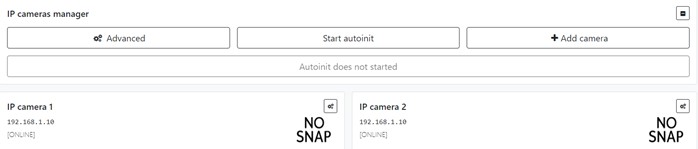
Figure 2 — advanced IP camera adding
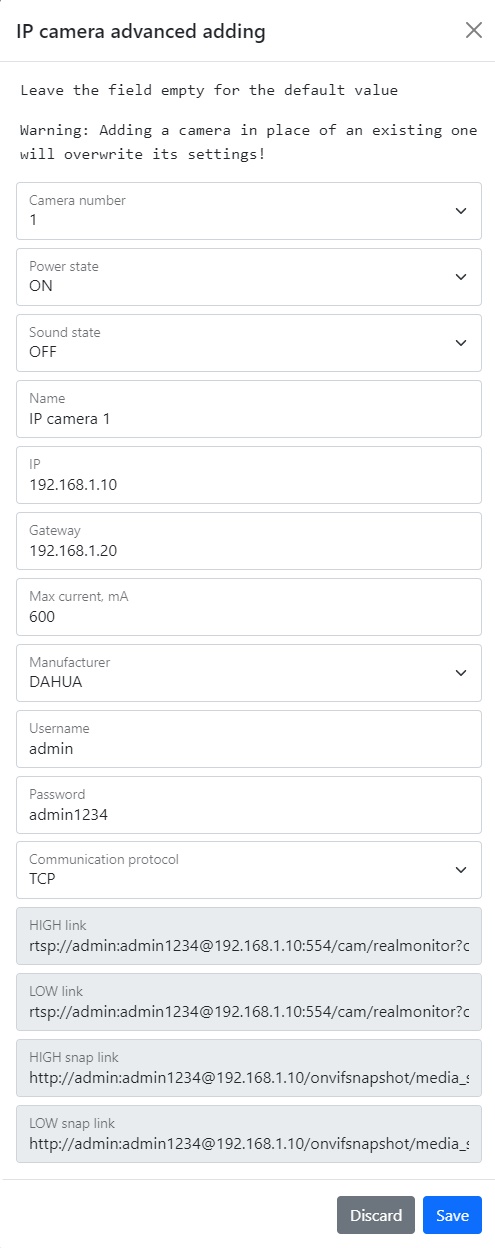
*Table 2 — advanced IP camera adding parameters description *
*Figure 3 — editing camera window *
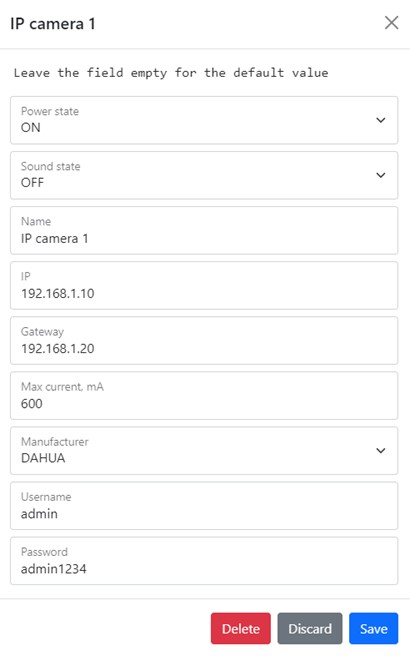
You can check your parameters, change them, add new data or delete camera
To set the default settings, click the Default button. To save settings in NVR click Save settings button.