
FTP Cloud Storage Configuration
In this section you can set the following parameters:
For event files:
-
FTP client status for event files
-
FTP server URL for event files
-
Username and password for the FTP event file client
-
Root the folder on the server, and the folder where photos and videos will be uploaded
-
Priority of sending files to the server and the number of files sent simultaneously
-
Event file sending interface For cyclically written files:
-
FTP client status
-
FTP server URL
-
Username and password for the FTP
-
Root the folder on the server, and the folder where photos and videos will be uploaded
-
Sending interface to the server The device also provides access to internal storage using the built-in FTP server
Figure 1 — Event FTP server
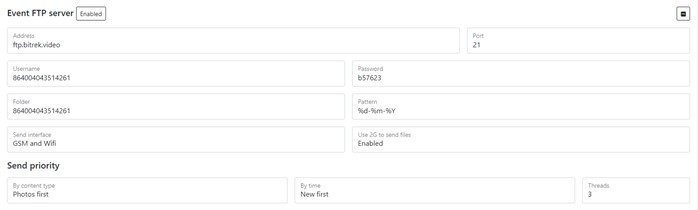
Table 1 — Event FTP server parameter description
Table 2 — Description of the pattern for setting the name of the created file
*Figure 2 — Loop photo FTP server *
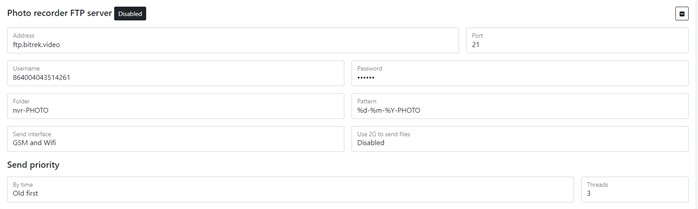
Table 3 — Loop photo client configuration
*Figure 3 — Loop video FTP server *
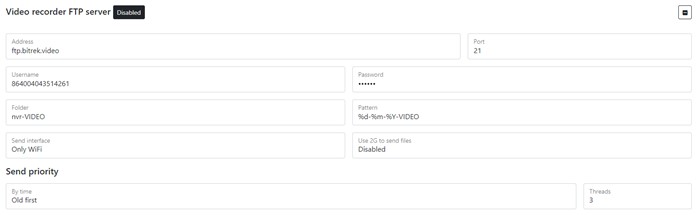
Table 4 — Loop video parameter description
To set the default settings, click the Default button. To save settings in NVR click Save settings button.