
Live Video Streaming
This section configures the ability to create a server streaming from IP cameras. Supported protocols are DASH and HLS.
Live stream configuration
*Figure 1 — Live stream configuration *
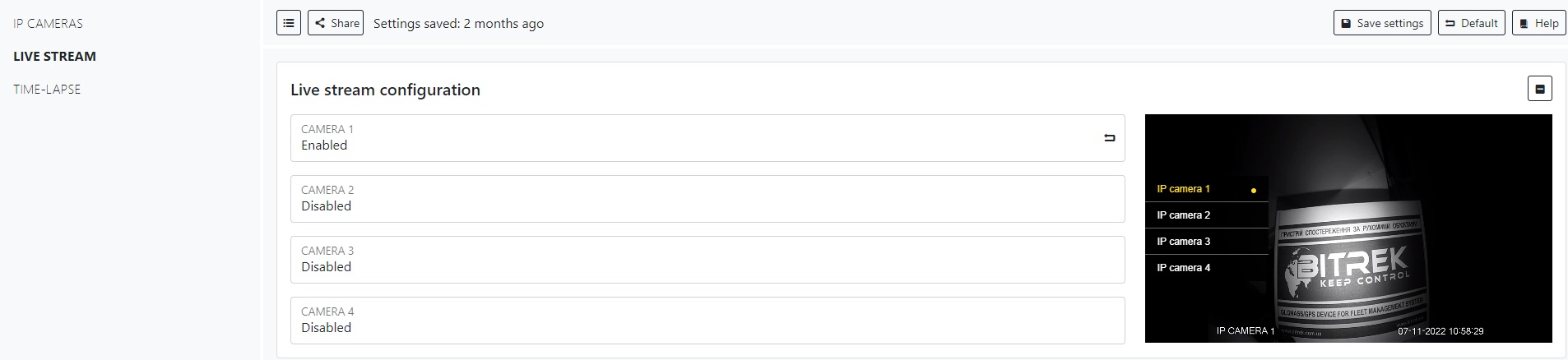
Here you can adjust the state of the streams from the camera cameras, turn on or off. Note! Then you can configure ONLY the streams ON!
Advanced configuration
Figure 2 — Advanced configuration
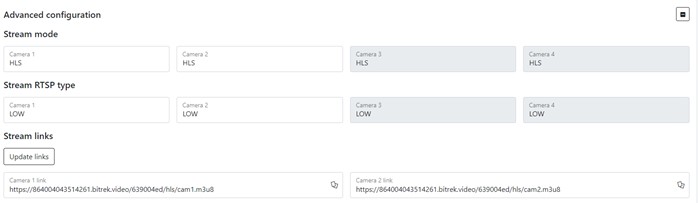
Table 1 — Advanced configuration parameters description
Note
You will not be able to update the link if no camera is turned on!
To set the default settings, click the Default button. To save settings in NVR click Save settings button.